Launched
Subscription Box Account Page Redesign
My Role
UX/UI Designer
Project Details
Client
Revive Superfoods
Platform
Wordpress (Woo commerce)
Skills
UI/UX Design
Information Architecture
User Research & Testing
Interaction Design
Prototyping
Cross-functional Collaboration
My Role
UX/UI Designer & UX Researcher
Timeline
5 months (Jan 2022 – June 2022)
Team
Product Manager, CRO Strategist, UX/UI Designer, Content Strategist, Developers, QA Engineer, Customer Service Team, Marketing Team
About Revive Superfoods
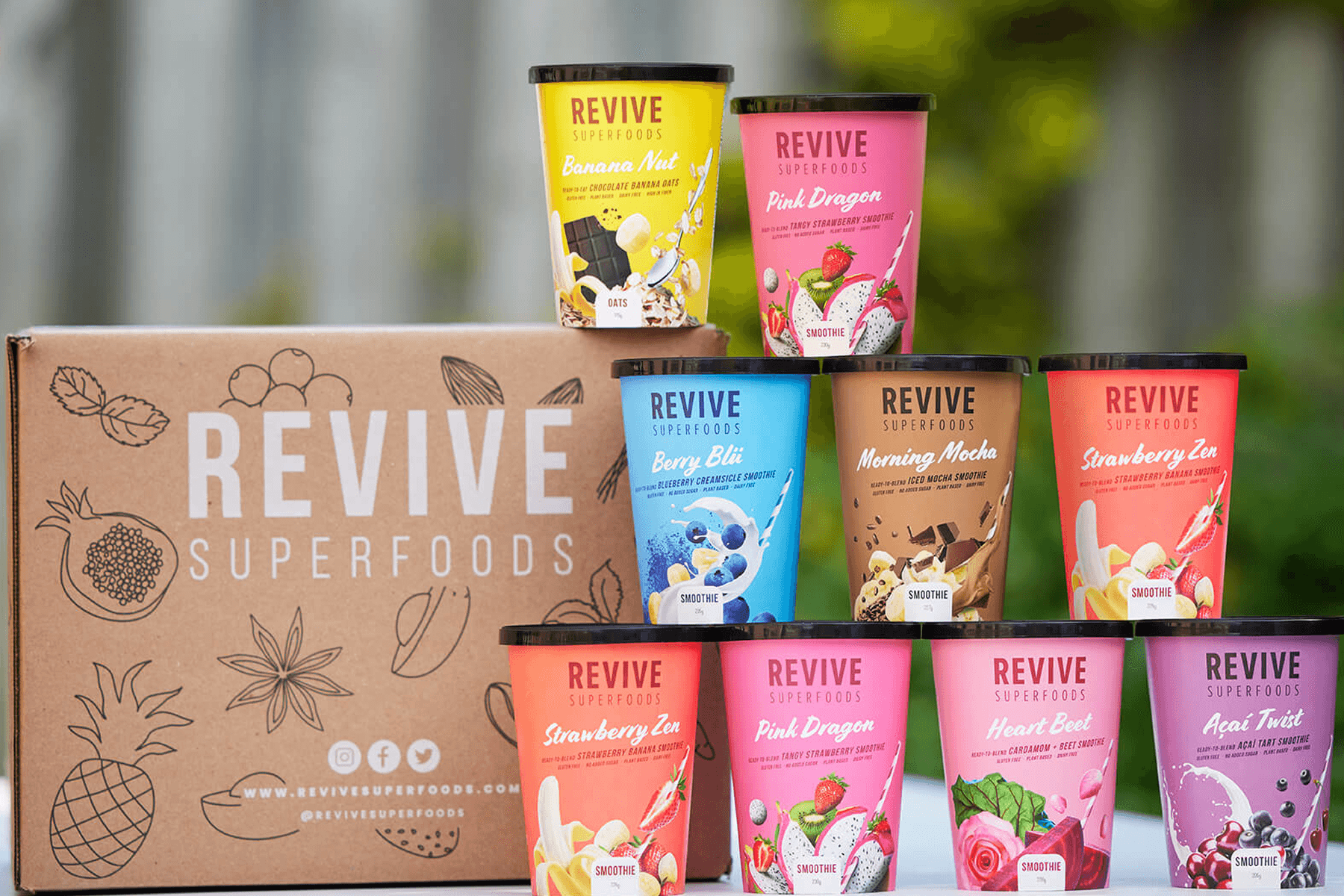
Revive Superfoods is a subscription‑based e‑commerce company delivering ready‑to‑blend, organic smoothies to customers across the United States, Canada, and Dubai.
The Problem
The Customer Service Team reported that customers are having a hard time finding where to edit their upcoming deliveries and also their shipment information.
Which leads to too many people calling customer service frustrated because they received the same order twice, sometimes lead to cancellation of the service.
Call
Customer service calls increased significantly
box_add
Customers frequently received duplicate or unwanted orders
Trending_Down
Frustration often led to subscription cancellations
Account page dashboard screen
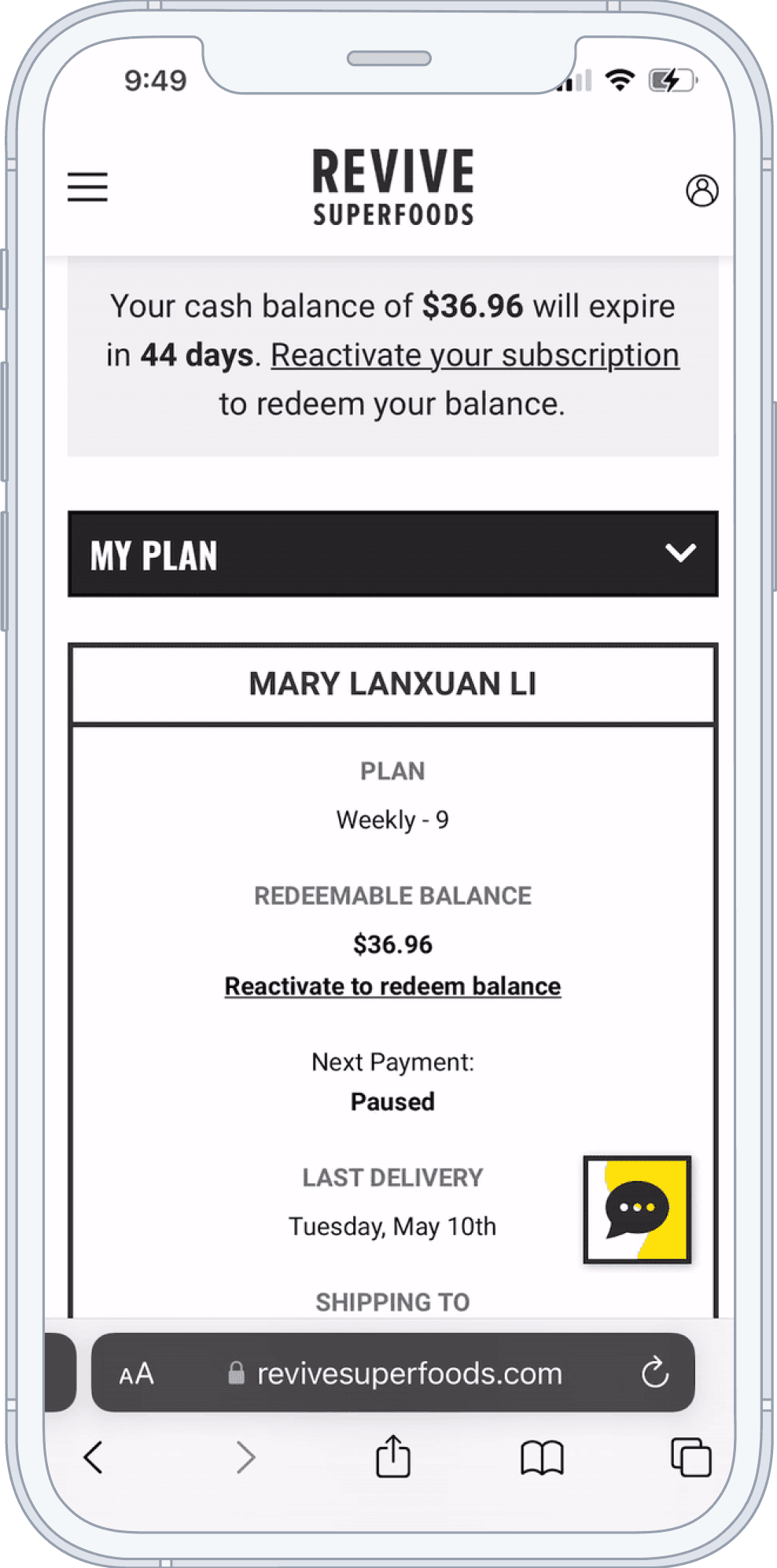
BEFORE REDESIGN
Project Goal
To allow customers to easily find where to edit their upcoming deliveries and also their shipment information. So that, there will be fewer customers calling to complain. As a result, lead to higher customer stasficaiton and less cancellation of the service.
User Research
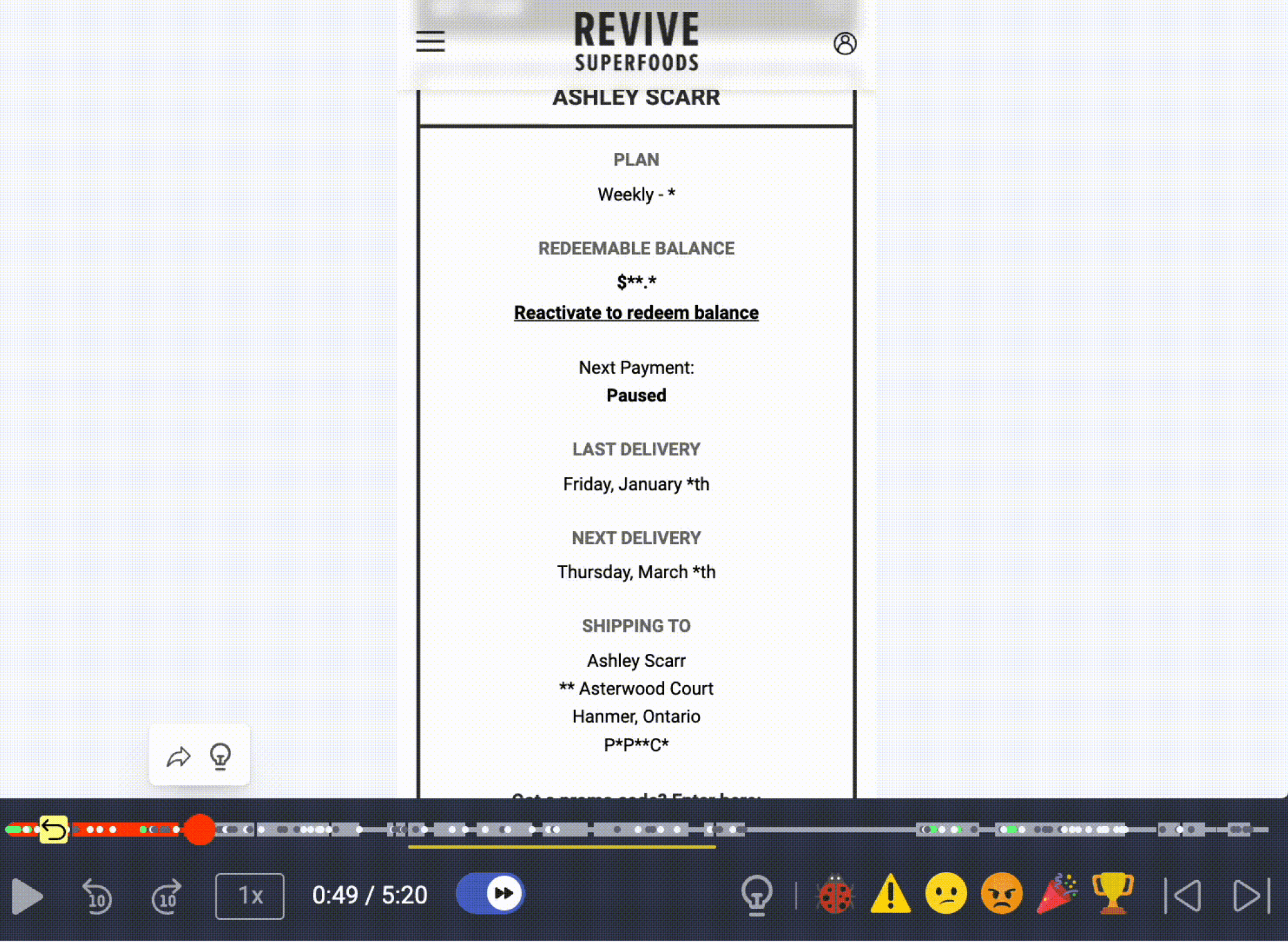
User pain point #1
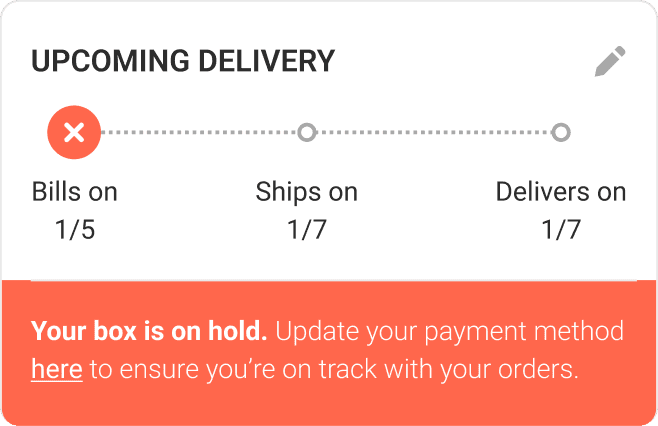
“I can’t find when my next order is going to arrive”
BEFORE
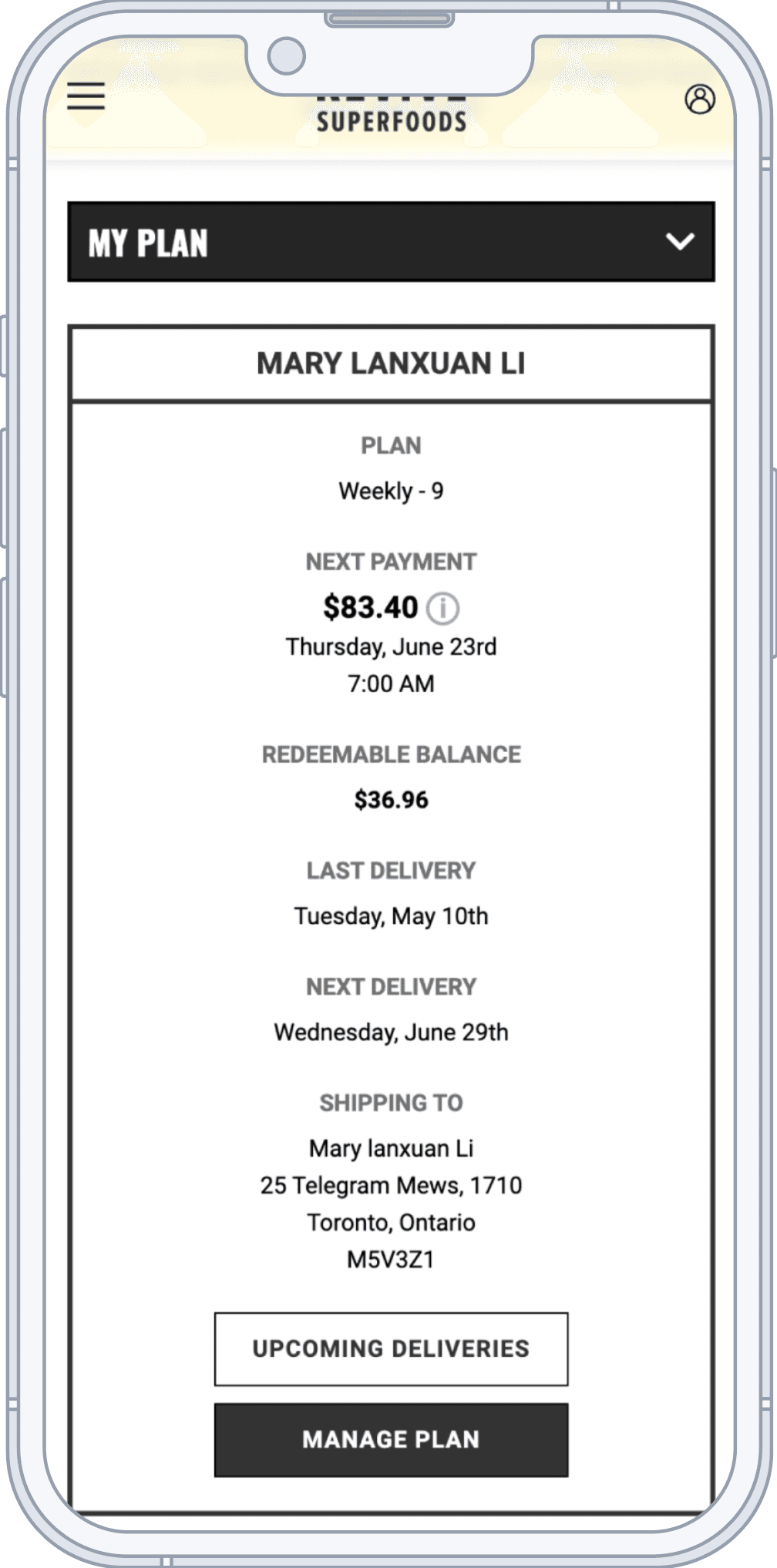
Account page dashboard screen
Solution
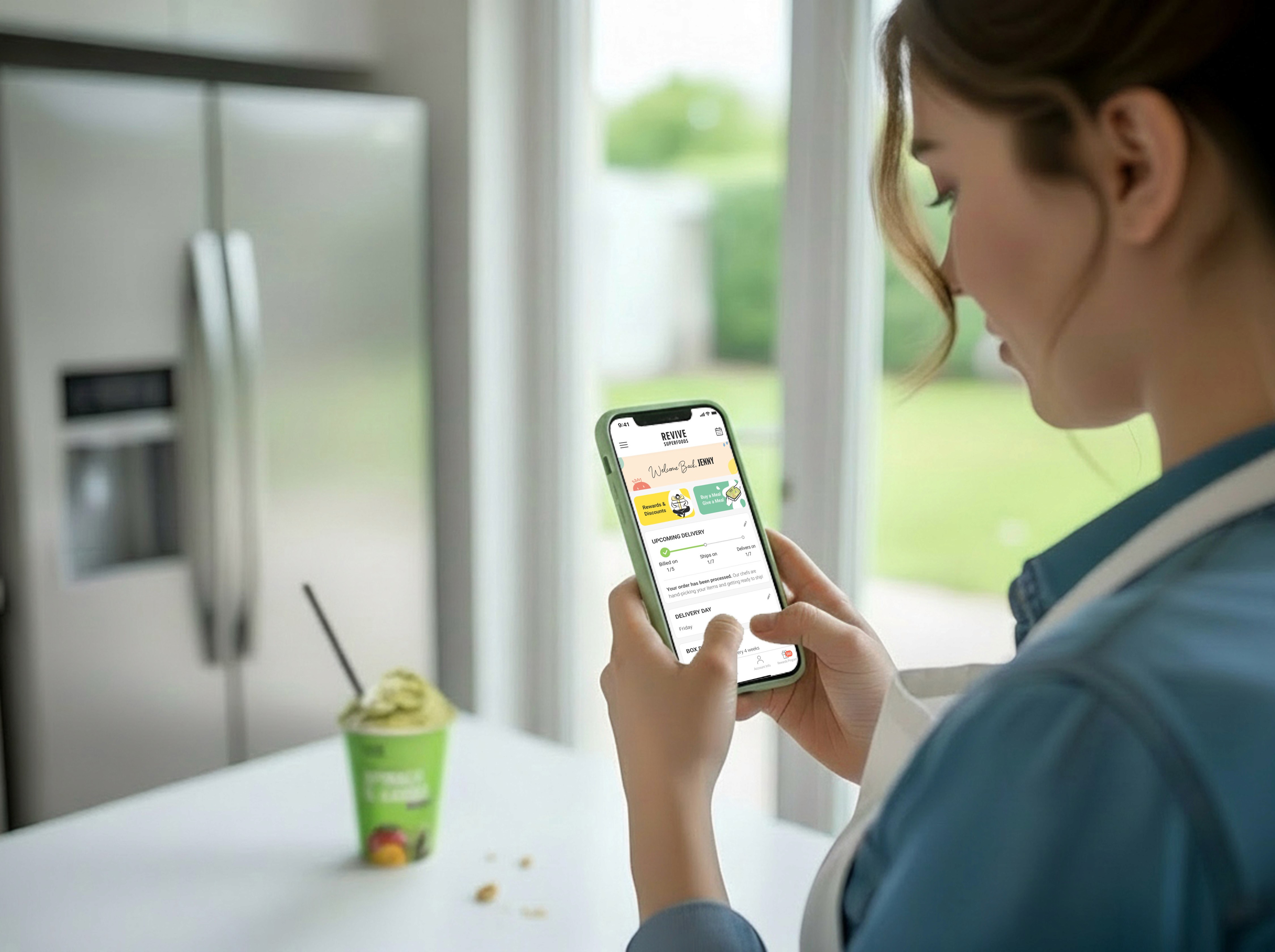
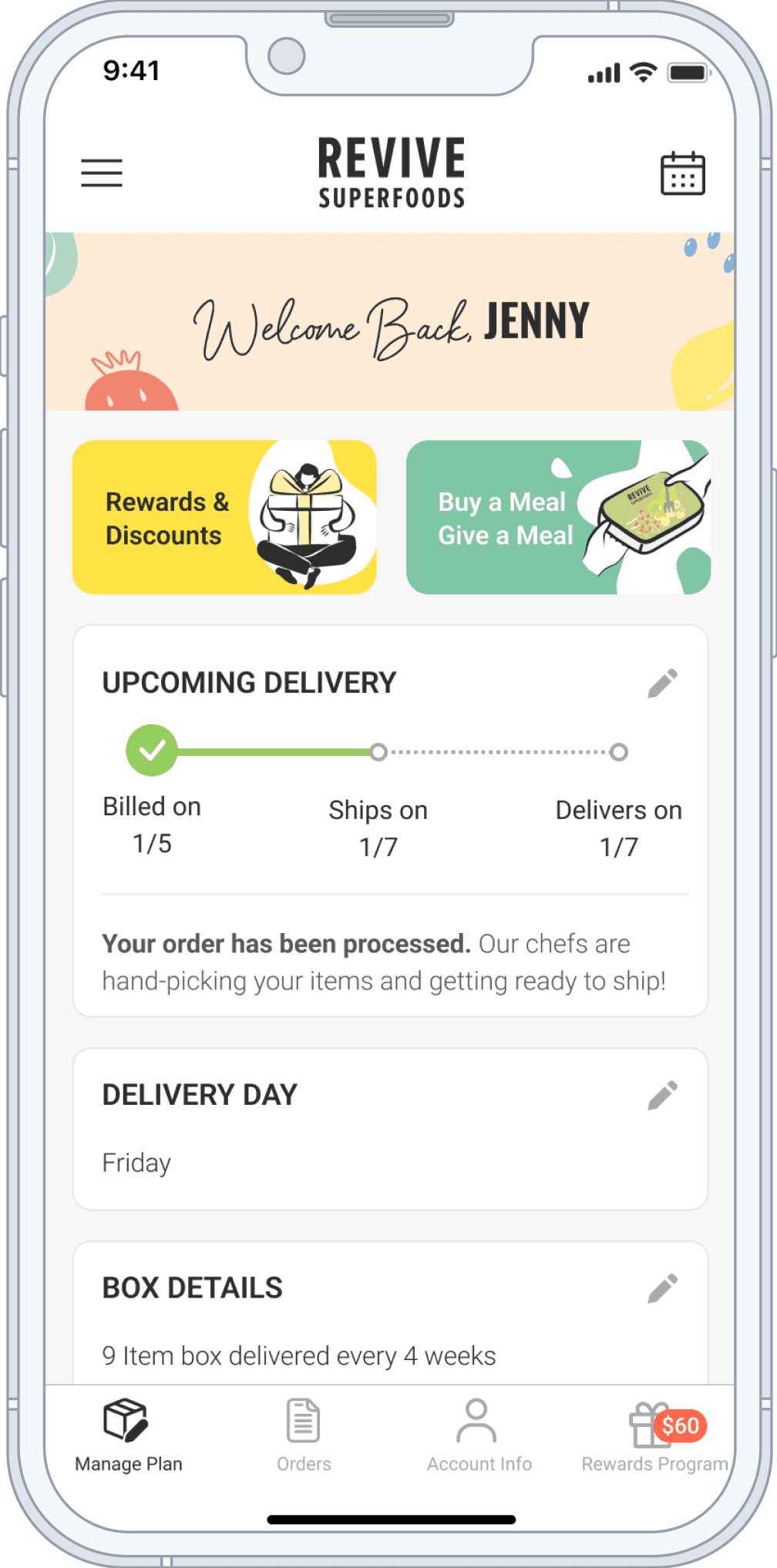
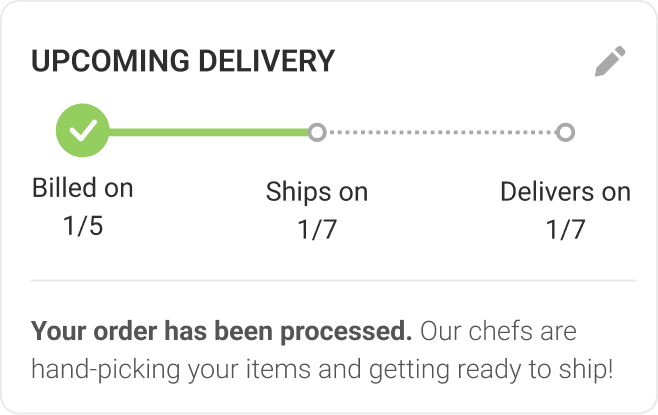
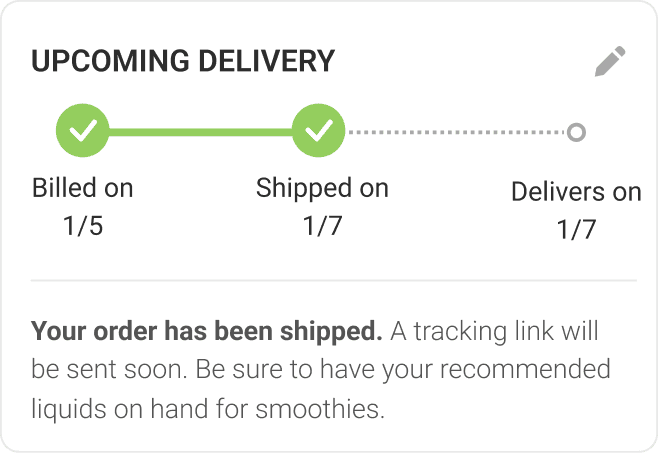
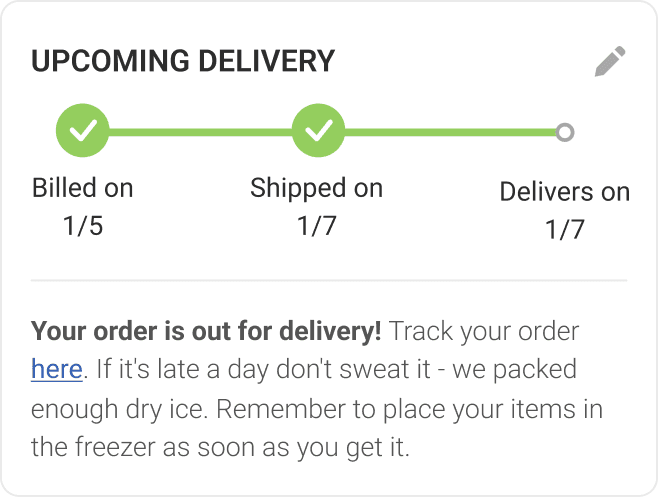
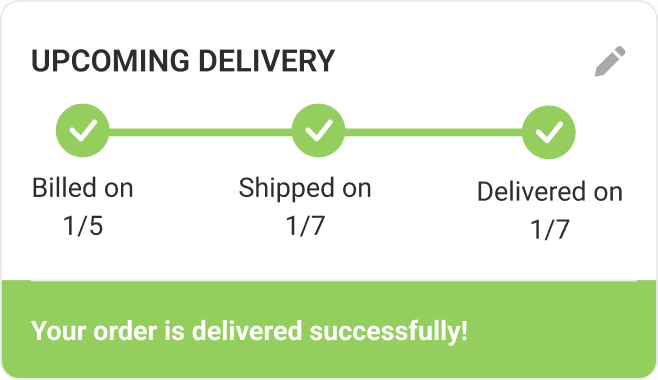
We change the layout of the dashboard and made it easier to find the upcoming delivery date.
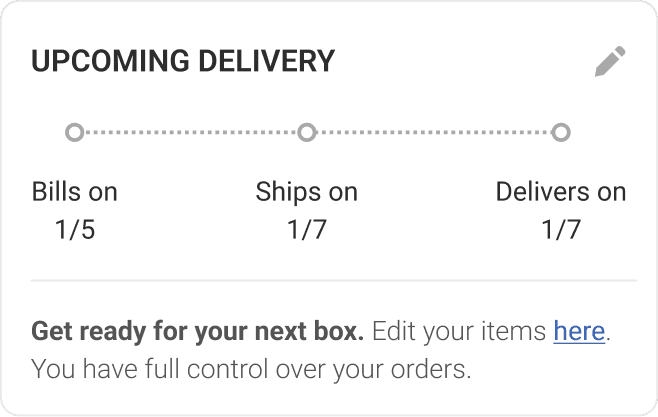
Users can see it in the first card
Will show check maker when an order is billed, shipped, delivered to let users know the status of their order
Descriptive text at the bottom of the progress bar to give users more clarity for each stage of the order
They can also see and edit their upcoming deliveries by clicking the edit icon or the calendar icon on header
AFTER
Account page dashboard screen

User pain point #2
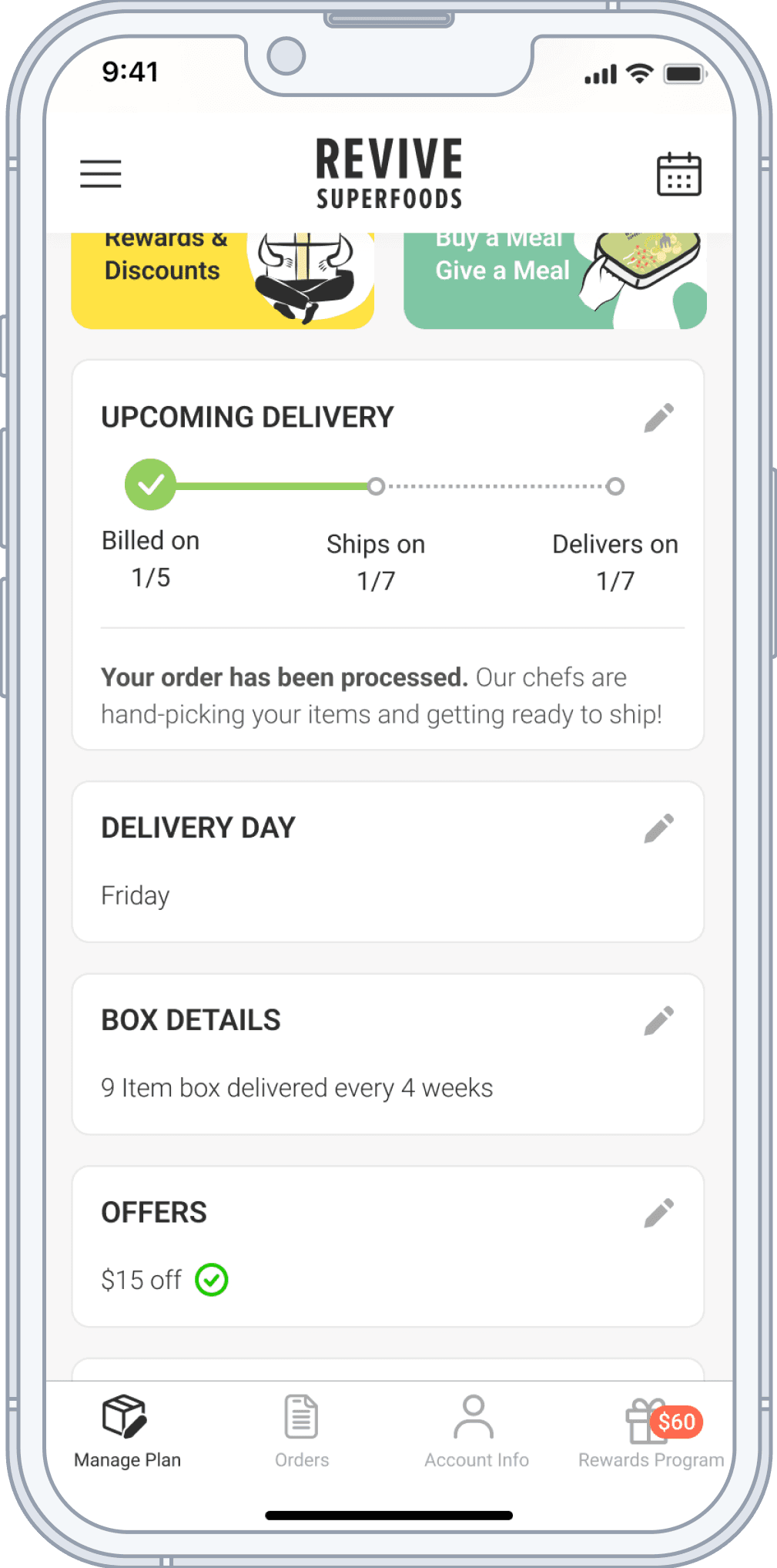
“I can’t find where to edit items in my box”
BEFORE
Account page dashboard screen
Solution
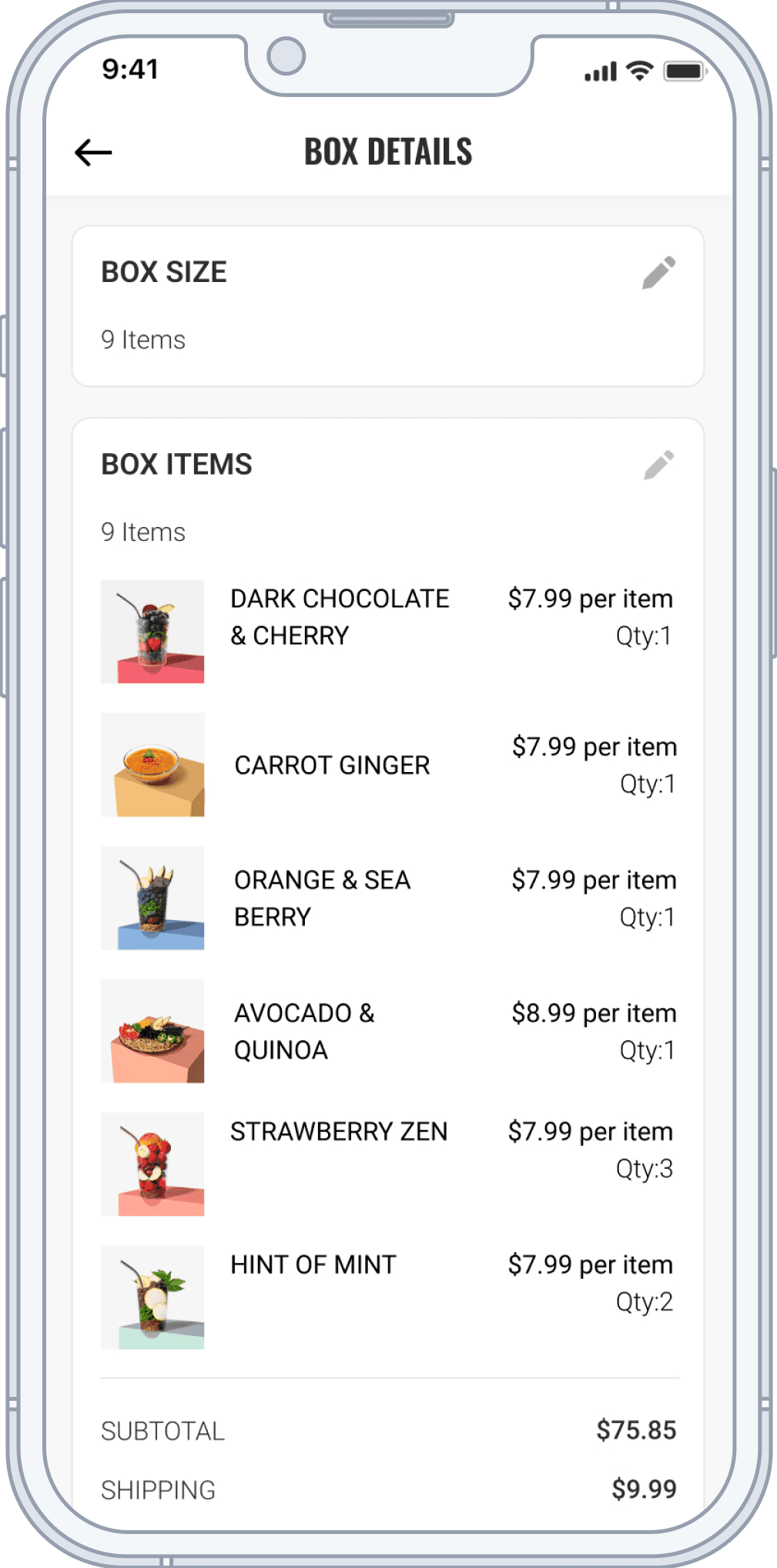
We added “BOX DETAILS” card to the dashboard page
Users can see on the dashboard page, which is faster for them to find
We added the edit icon so that user can click on it to edit their upcoming orders
AFTER

User Testing
We asked the users to “Increase your box size to 12 items and add items to your box”
User testing Objective
To find out if users are able to complete the 10 most common tasks on the account page. Will only be showing the first task in this portfolio but all tasks are a part of the user testing.
Testing method
Non-moderated testing where we uploaded the Figma prototype for each task to a user testing platform for users to complete, after completion will follow with a feedback scale and text comment section
Testing tool
We used maze as the testing platform
Testing timetable
One week
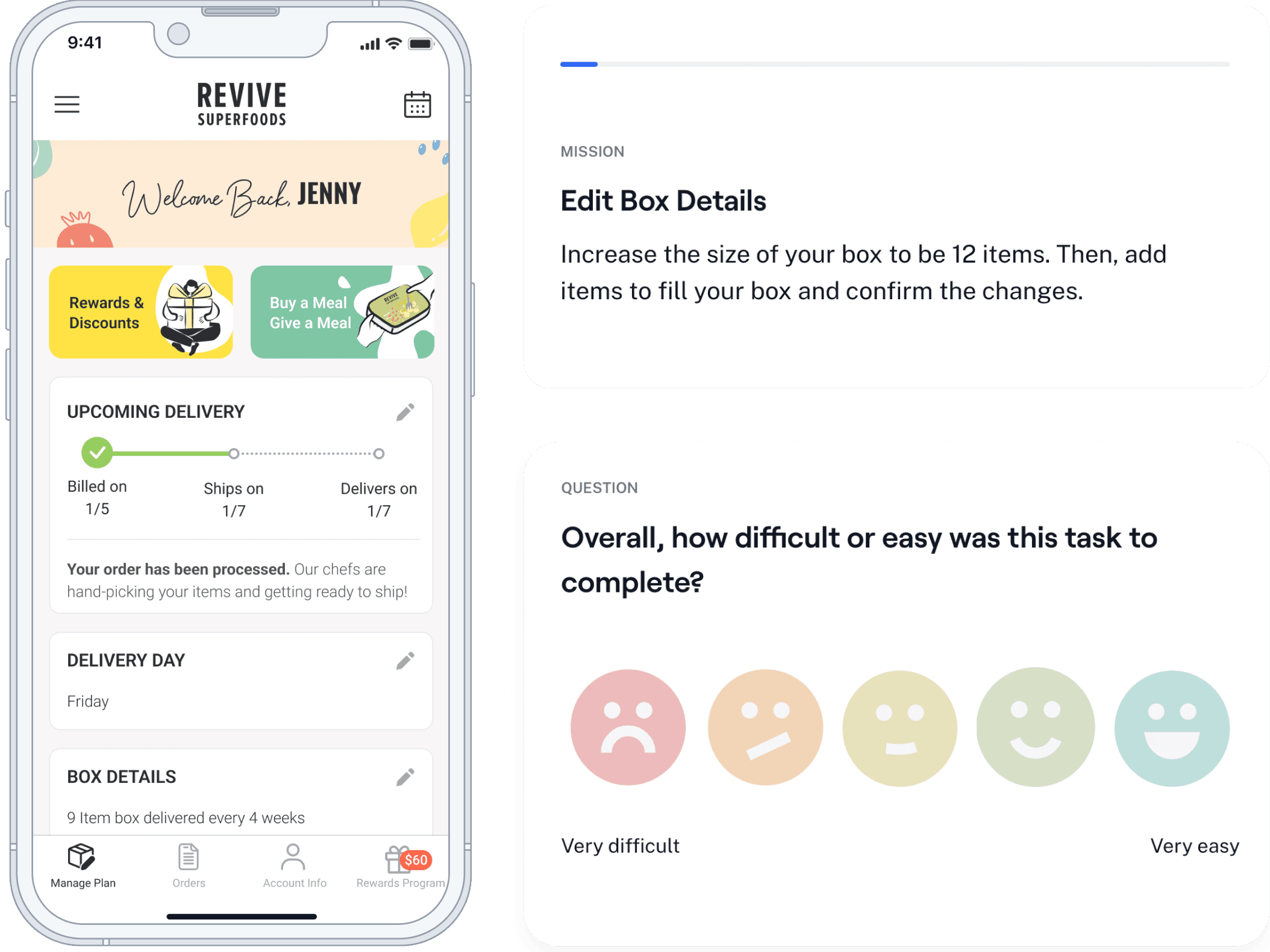
Testing UI sections from Maze
Testing Result
85 % testers are able to find where to edit their box item.
However, 40% user left the page to increase their box size.
The edit box size is actually located on the next page after users click on the edit icon.
Testing Variant
The “X” are clicks by users. These are screenshots from the testing result by loyal customers on Maze.
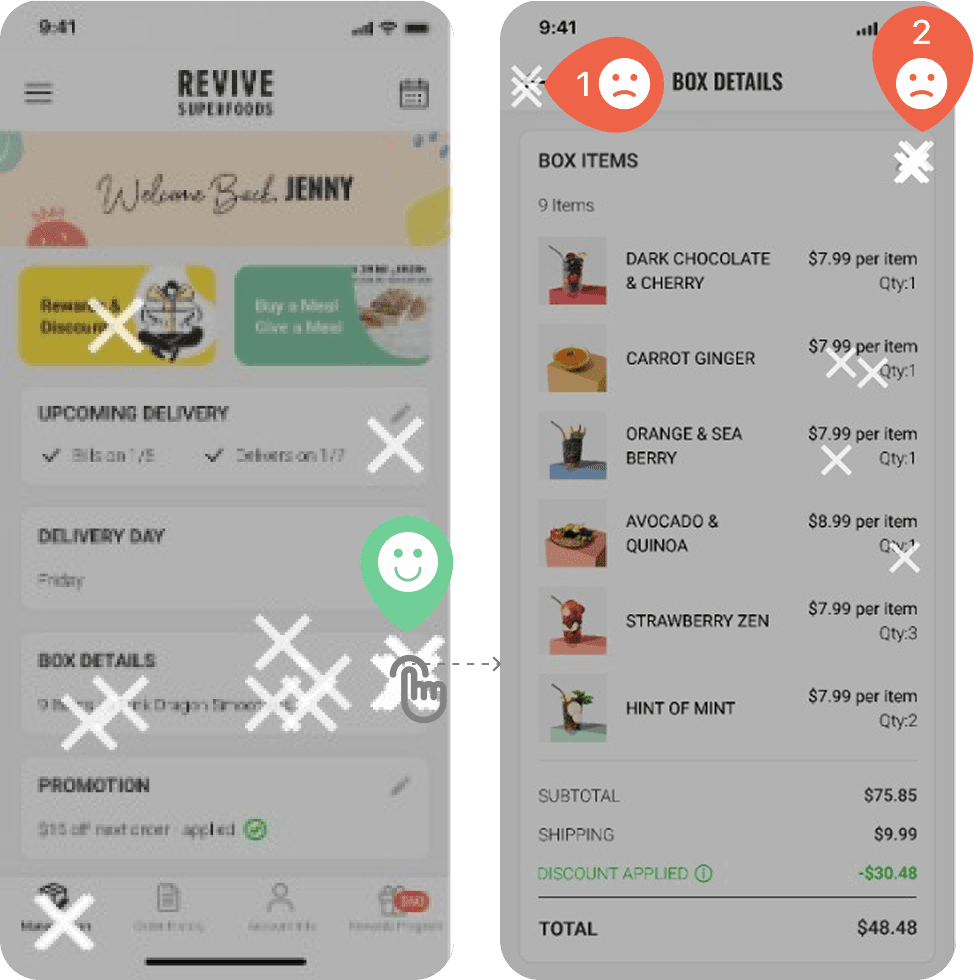
For iteration, we decided to add the edit box size feature to the same page. So that users won’t miss it.
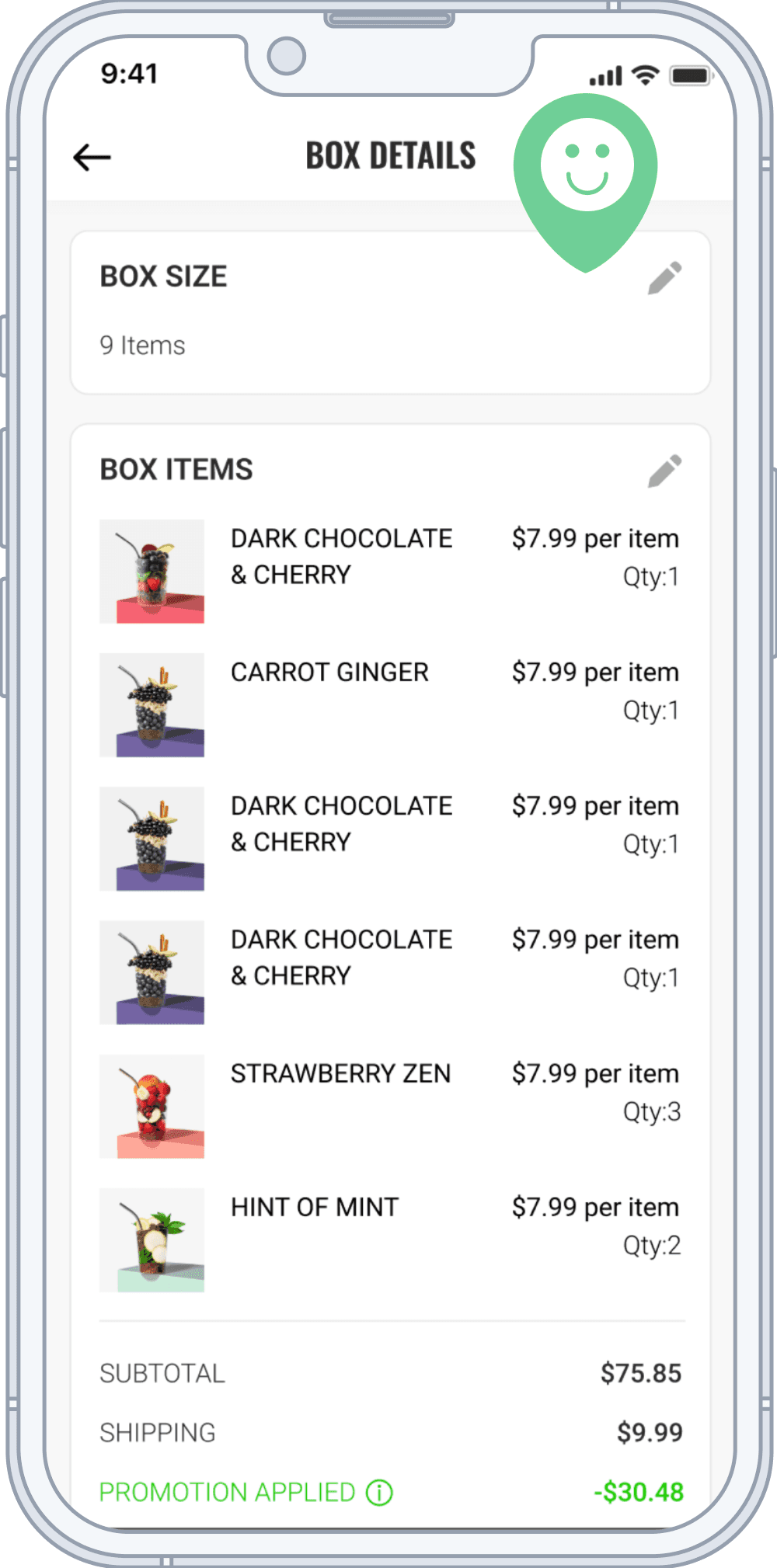
After Iteration
Impact
53% fewer support tickets
Account-management–related customer service tickets dropped significantly after launch, reducing operational load on the support team.
Fewer order & delivery issues
Questions around editing orders and tracking deliveries declined week over week as customers were able to self-serve more confidently.
Next Steps
Next Steps
I will continue monitoring performance and customer service trends, identify opportunities to further streamline subscription management, and iterate based on new customer behavior data.